
Complete guide to managing catalogs - static inventories for merchants including setup, usage, and best practices for efficient transaction processing.
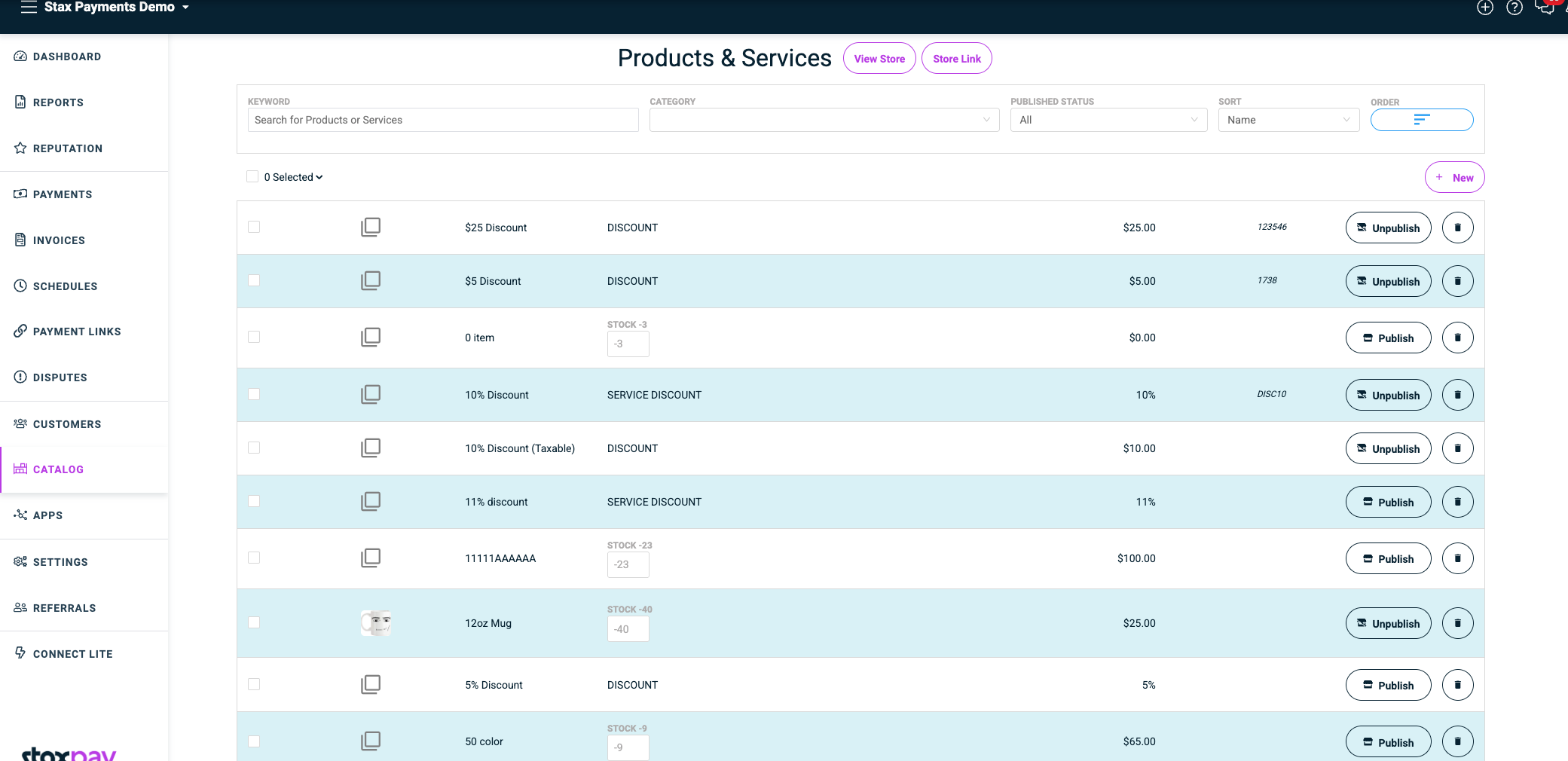
Catalogs are static inventories of items that merchants can store and manage within the system. Each merchant receives one catalog that serves as a centralized item database, streamlining transaction creation and inventory tracking.
Get your catalog configured and ready to use in minutes with our streamlined setup process.
Monitor stock levels, item details, and availability across all your catalog items.
Rapidly fill out transactions and invoices by selecting from pre-configured catalog items.
Maintain consistent pricing, descriptions, and item details across all transactions.
Overview
Your catalog serves as the foundation for efficient transaction processing. By maintaining a well-organized catalog, you can:
- Standardize item information across all transactions
- Reduce data entry errors when creating invoices
- Track inventory levels and item availability
- Streamline the checkout process for faster transactions
Setting Up Your Catalog
Initial Configuration
- Access your catalog from the main dashboard
- Add your first items with complete details
- Set pricing and descriptions for consistency
- Configure inventory tracking if needed
Essential Item Information
- Item name and description
- SKU or product code
- Pricing information
- Category classification
- Stock quantities (if applicable)
Item Management
Adding New Items
Use the catalog interface to add new items with all relevant details. Ensure each item includes:
- Clear, descriptive names
- Accurate pricing
- Proper categorization
- Stock level information
Updating Existing Items
- Modify prices and descriptions as needed
- Update stock quantities regularly
- Archive discontinued items
- Maintain accurate product information
Bulk Operations
- Import multiple items via CSV
- Export catalog data for backup
- Perform bulk price updates
- Mass category assignments
Optimization Tips
Organization Strategies
- Use consistent naming conventions for easy searching
- Implement logical categorization to group related items
- Maintain accurate descriptions for clarity
- Regular inventory updates to reflect current stock
Performance Enhancement
- Keep active items at the top level
- Archive obsolete products rather than deleting. Set the is_active to False.
- Use clear, searchable item names
- Duplicate items (same name, price, and type) are automatically blocked during creation
Integration Benefits
- Faster transaction processing
- Reduced manual data entry
- Improved accuracy in invoicing
- Better inventory visibility
Advanced Features
Advanced Catalog Features
Inventory Management
- Stock Level Monitoring: Track quantities and set low-stock alerts
- Automatic Updates: Inventory adjustments based on transactions
- Reporting: Generate inventory reports for analysis
Pricing Management
- Tiered Pricing: Set different prices for different customer types
- Bulk Discounts: Configure quantity-based pricing
- Seasonal Adjustments: Temporary price modifications
Category Organization
- Hierarchical Structure: Create main categories and subcategories
- Custom Fields: Add specific attributes for different item types
- Search Optimization: Tag items for improved discoverability
Common Use Cases
Getting Support
Need help with your catalog setup? Our support resources include:
- Documentation Library: Comprehensive guides and tutorials
- Video Tutorials: Step-by-step visual instructions
- Community Forums: Connect with other merchants
- Direct Support: Contact our support team for personalized assistance
Create an item in your catalog.
Upload images files to be used as thunbnails and images of your items to promote sales.
Generate invoices with your items. This reduces data entry errors, allows for inventory control and improves reporting.