
Managing Merchants
Review merchant PCI compliance progress, edit merchant records, and site jump into a merchant account in PCI Aperia.
Use the PCI Aperia home page to review merchant PCI compliance progress, open merchant details, edit merchant records, and site jump into a merchant account when you need to help.
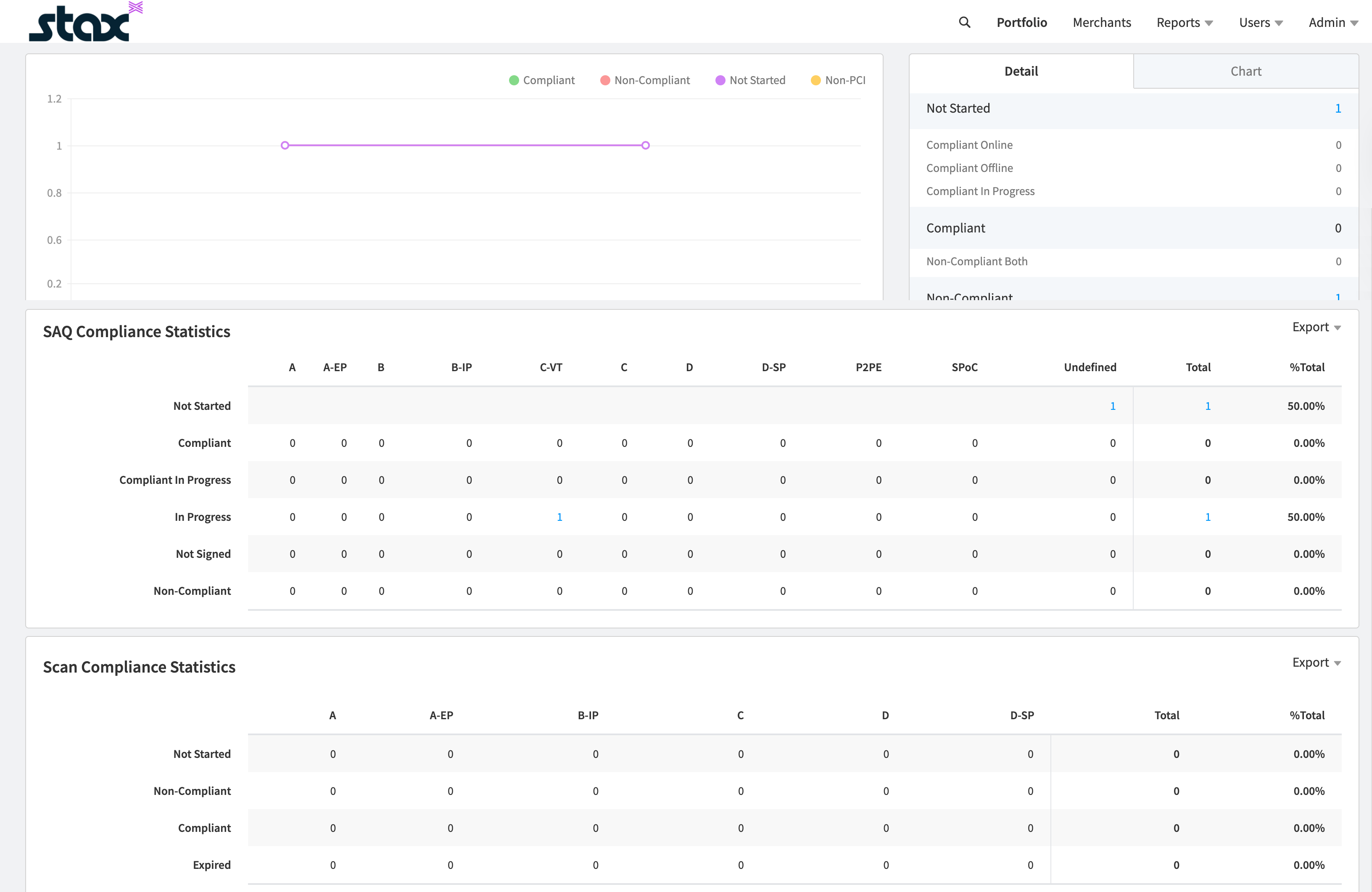
Review merchant status
- Open the Home page to view your merchants and their PCI compliance progress.
- Click any blue hyperlinked number to open a modal with more details and the merchants in that status group.
- Select a merchant in the modal to open the merchant details page.
- On the merchant details page, review merchant information or use the left menu to site jump into the merchant PCI portal for additional details or help answering questions.
See SAQ Compliance Status for definitions of each compliance status.
Merchant IDs can be chained for a location or profit center of a merchant business to the master
merchant account if they process credit cards using the same payment methods, processing procedures,
and security policy. This enables the master merchant to attest to compliance for all the chained
merchant IDs at one time.
Site Jump / Assume Merchant
Site jumping lets you open a merchant’s PCI Apply site as an administrative user to verify the data available to the merchant, troubleshoot issues, or conduct training.
When you access a merchant site, you can view only that merchant’s data.
- On the menu, click Merchants.
- Search and select the desired merchant.
- On the Merchant page, click Site Jump.
When you assume a merchant, you can help answer questionnaires or review completed work. You cannot start a scan or certify answers on the merchant’s behalf. The merchant must enter an IP address to start a scan and must sign to certify the answers.
If a merchant needs help with PCI Compliance, they can reach out to Aperia Compliance Support, which is available Monday through Friday from 7 AM to 7 PM CT. They can be reached via:
- Phone: 844-870-2824, option 1 for SAQ support or option 2 for scan support.
- Webform: Click Contact Us in the top left menu.
- Chat: Click Chat in the top left menu.
Aperia support can assist with SAQ selection and walkthroughs, reviewing vulnerability reports, password resets, and zip code verification.
Updated about 1 month ago