
Staying PCI Compliant
Complete these annual steps to attest to PCI compliance, access PCI Apply, and stay current on questionnaire and scan requirements.
PCI compliance means meeting the Payment Card Industry Data Security Standard (PCI DSS), a security framework for businesses that store, process, or transmit cardholder data. This page walks you through the annual tasks required to stay compliant, including your self-assessment questionnaire and any required scans.
Once your account is activated and enrolled, you will receive a Welcome email from Aperia the following week, typically on a Friday. This will contain information on accessing your portal for PCI Compliance.
Overview
Complete these annual steps to attest to your PCI compliance and avoid non-compliance fees.
- Verify your merchant information. Confirm your business profile details are accurate and up to date.
- Complete the PCI DSS self-assessment questionnaire (SAQ). PCI DSS (Payment Card Industry Data Security Standard) requires you to complete this annual questionnaire. The specific questionnaire you need depends on your processing style.
- Complete an Approved Scanning Vendor (ASV) scan, if required by your SAQ. An ASV is a PCI-approved vendor that performs required external vulnerability scans. Not all questionnaires require a scan — check your SAQ requirements.
- Review and sign your questionnaire.
- If your SAQ does not require a scan, sign it as soon as you complete the questionnaire.
- If your SAQ does require a scan, sign it after your first quarterly ASV compliance request is approved by the ASV team.
If your SAQ requires scanning, you must complete a scan every 90 days to maintain compliance.
Before you start, locate your Merchant Number and confirm the tax ID or SSN details on file for your account. If you cannot find them, refer to your welcome email or contact support.
Log in to PCI Apply
If this is your first time logging in to PCI Apply, follow these steps to create your credentials and access the portal.
- Go to pciapply.com/pcicompliance. Your URL may differ, or be a custom domain. Refer to your welcome email for the exact URL.
- On the Login page, click Start Here under First Time Logging In.
- Enter your full Merchant Number.
- Enter the last 4 digits of the Federal Tax ID or SSN on file.
- Enter your two-character state code.
- Enter your ZIP/Postal code, then click Continue.
- In the Update My Profile window, enter your Email Address.
- Verify your First Name and Last Name.
- Enter a New Password, then re-enter it to confirm.
- Select a Security Question and enter your Security Answer.
- Click Submit to access PCI Apply.
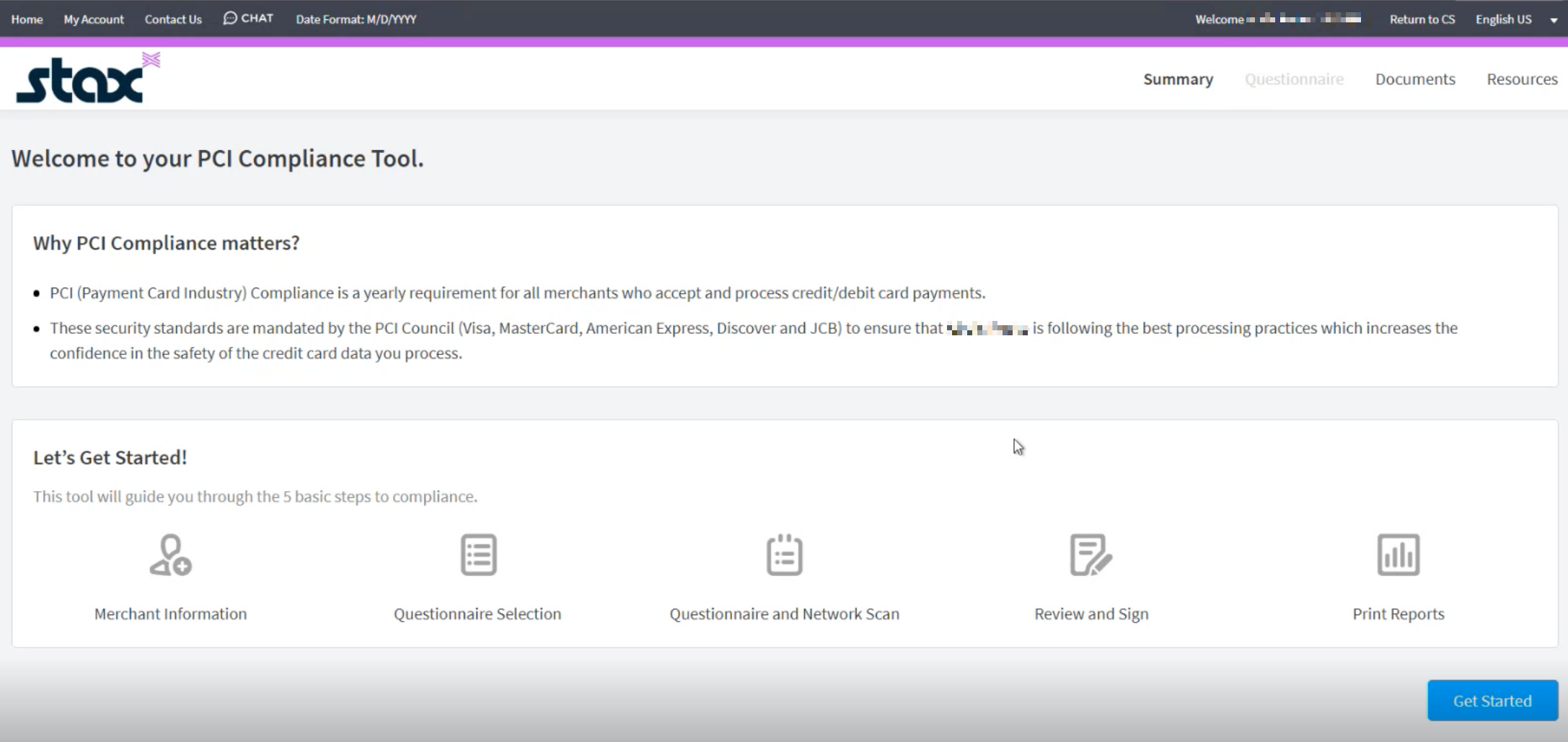
Use Contact Us or Chat in the top-left menu if you need additional assistance. You can also call Aperia at 844-870-2824 — choose option 1 for SAQ support or option 2 for scan support.
Updated about 1 month ago