
Processing an ACH Payment
To process a one-time ACH payment in Stax Pay:
-
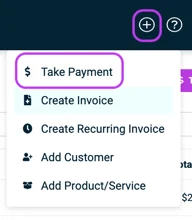
In Stax Pay, click the "+" button in the top right corner of any page and click Take Payment.
-
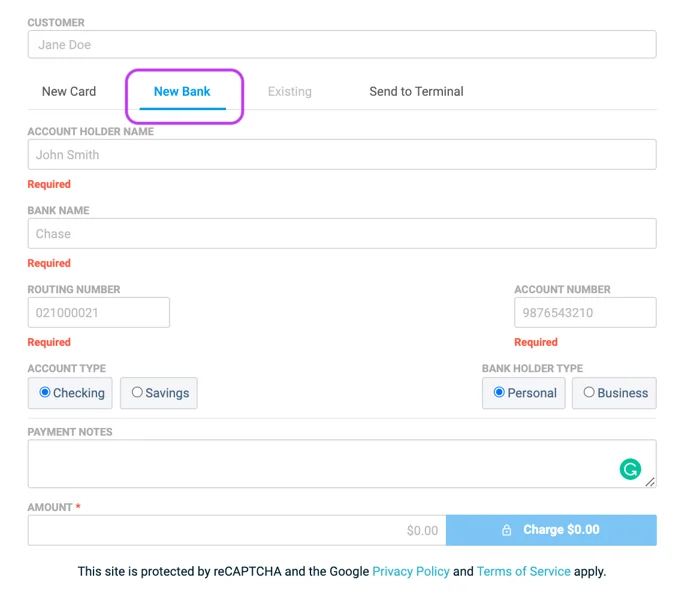
Click New Bank.
-
Enter the banking information and payment amount.
-
Click Charge.
Updated about 1 month ago
Did this page help you?