
Setting up Notifications
You can be notified of certain actions taken in Stax Pay.
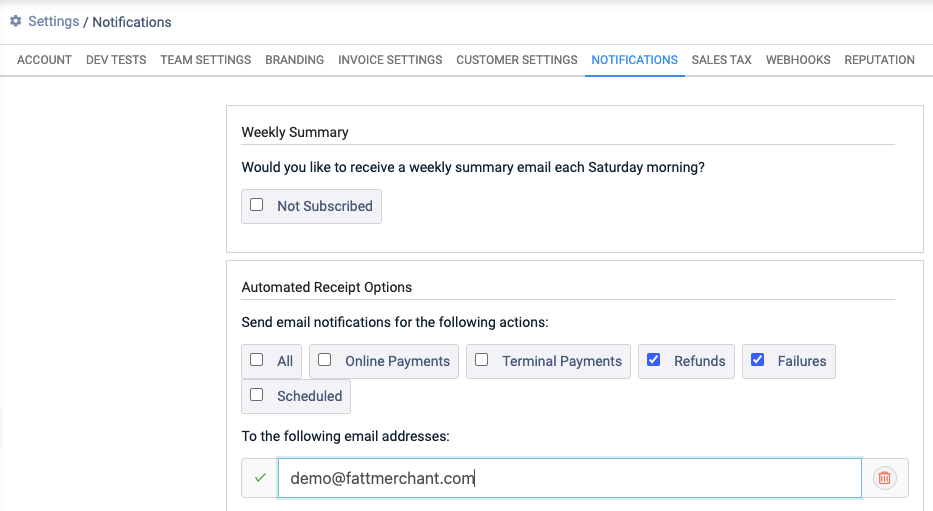
Actions include:
- A payment that has been received via your online payments link.
- A refund has been processed.
- A transaction has failed. Note: Failed-transaction emails are sent once the final outcome of the transaction is known. If a transaction is briefly in a pending state (for example, during a gateway timeout), no email is sent until it settles into its final success or failure state, and the email reflects that final outcome.
- A scheduled payment has been processed.
- A card present payment has been processed (if applicable).
You can also receive weekly summaries every Saturday.
To set up automated reminders, follow the steps below:
-
Select Settings from the main toolbar.
-
Select Notifications.
-
Select the actions that you would like to be notified of.
-
Enter the email address(es) that should receive the notifications.
-
Click Save.
Updated about 1 month ago
Did this page help you?