
Sending Receipts
Upon completion of a transaction, you can send your customer an email or SMS text receipt.
To send a receipt, complete the following:
-
Immediately after a sale, click Send Receipt from the bottom of the page.
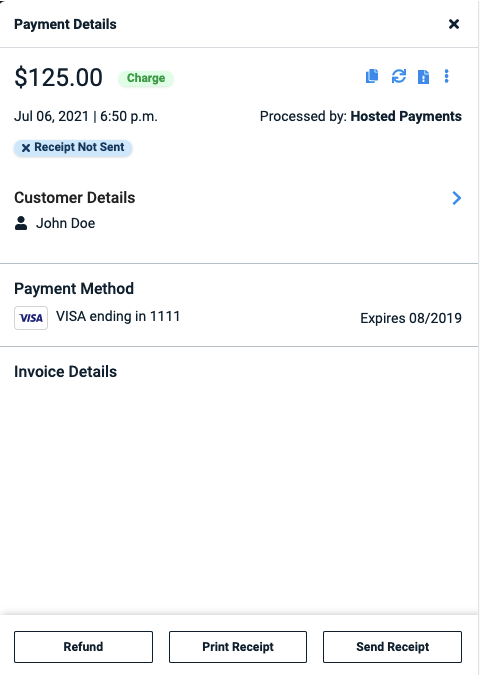
-
You will be prompted to provide an email or text to the recipient.
-
Click Send Receipt.
If you need to send a receipt after payment completion, select Payments from the left-side menu. Locate the transaction and click on it. Select Send Receipt and choose email or SMS. Enter the appropriate information and click Send.
Merchant Copy vs. Customer Copy
The merchant's copy of the payment receipt includes the customer's email and phone number (when on file) alongside the customer name, so a merchant can follow up on a failed or disputed payment without switching to Stax Pay to look up contact details. This is especially useful for one-off or walk-in customers who aren't saved as Customer records elsewhere.
The customer's copy of the receipt is unchanged and does not display this contact information.
API Calls
PUT Send a Receipt →Updated about 1 month ago