
Partner Sandbox
This type of sandbox allows partners to test merchant creation and enrollment, along with webhooks.
A Partner Sandbox lets you test creating and enrolling new merchants, modifying an enrollment application, SSO, testing partner webhooks, creating merchant API keys, and testing the different enrollment states for visibility in your software when using hybrid enrollment.
This is helpful once you are established to verify that your software is working as expected when using a hybrid enrollment.
Prerequisite
- Request access to a sandbox here before accessing a partner sandbox.
You must have a valid partner account and have signed all necessary documents to access a Partner sandbox. To start, request access to a sandbox API Sandbox to test most common use cases. The Partner sandbox can be activated later to test more functionality.
If you are a Partner with a sandbox account, you can log in to Stax Connect to set up the test account for testing merchant enrollment and creation processes. You should already have a sandbox account set up.
-
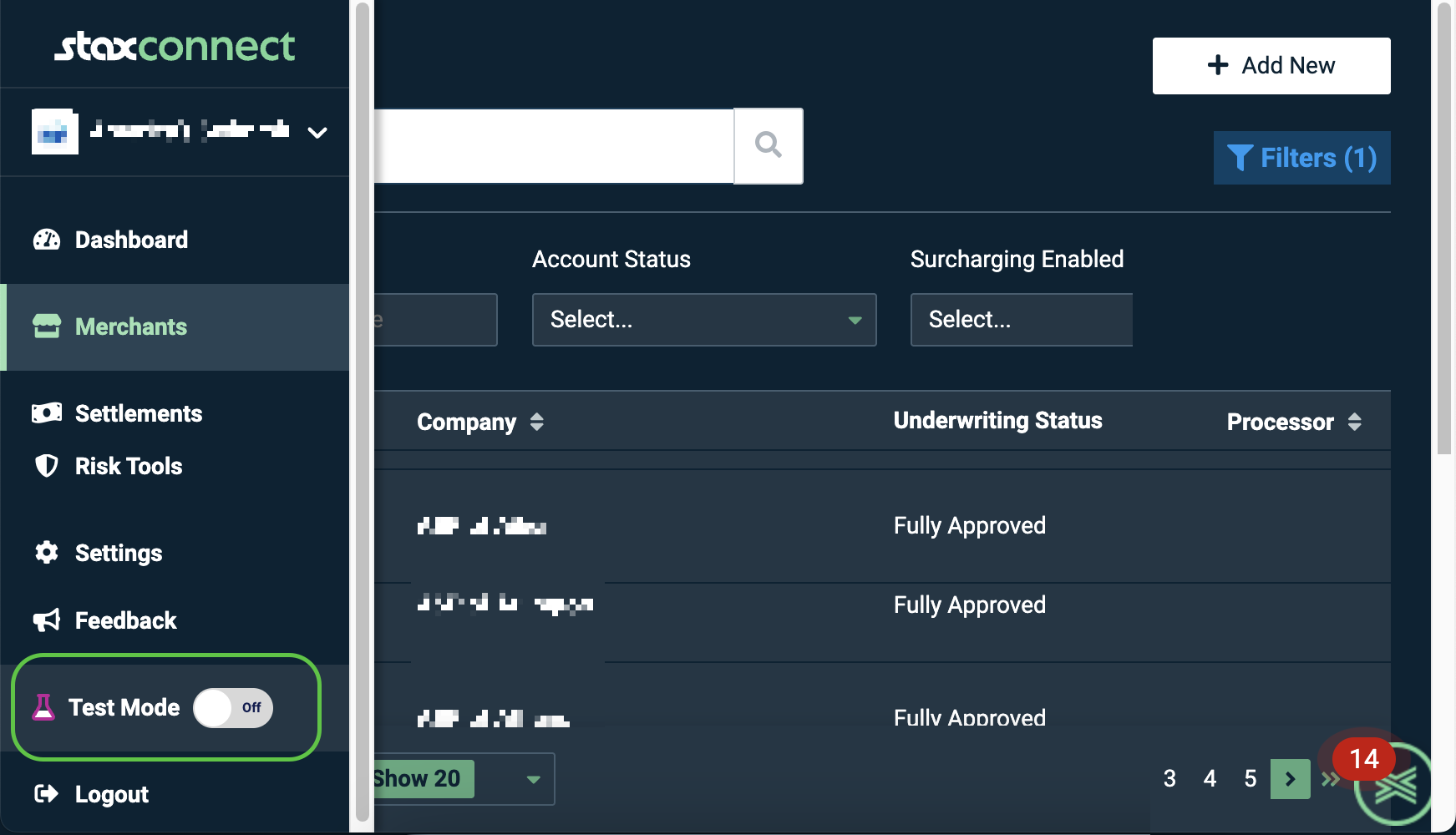
In Stax Connect, turn on Test Mode in the left main menu.
-
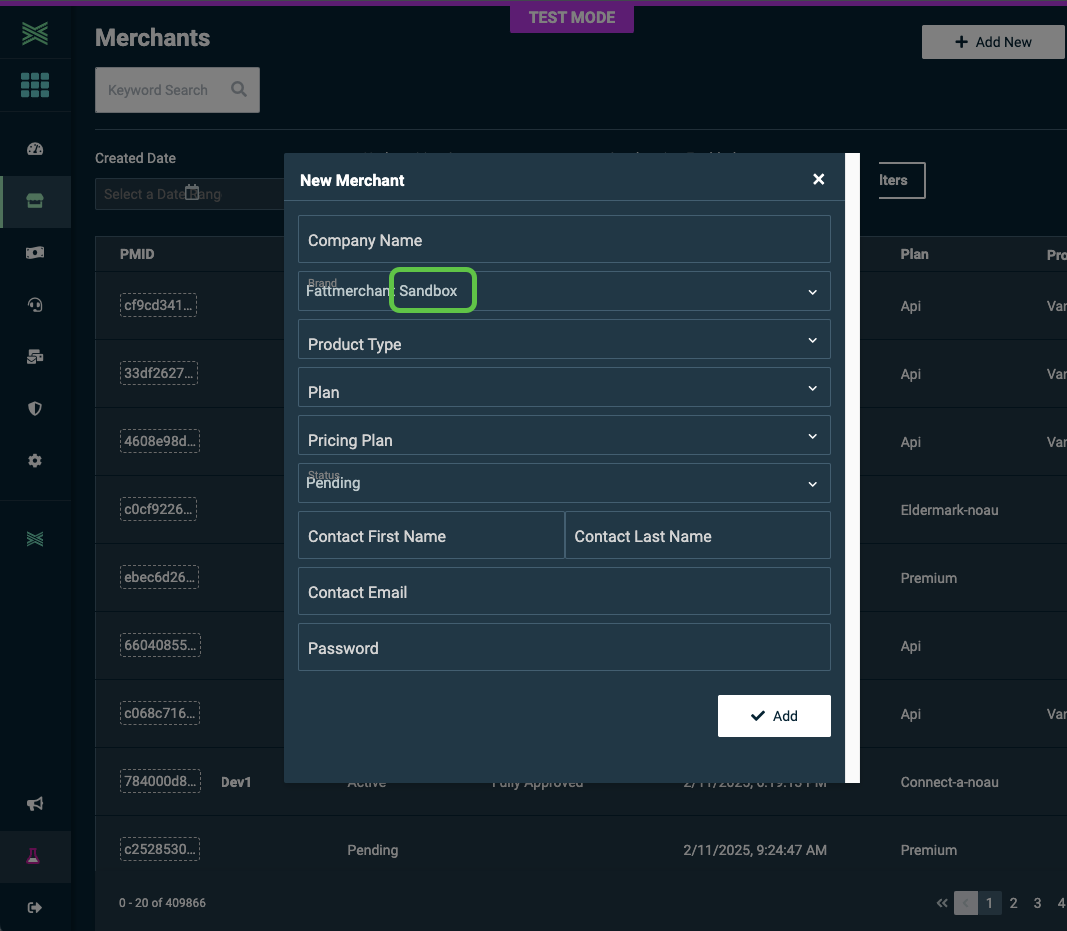
Then click Merchant in the left menu, then click Add New.
-
Enter the details of the test merchant. Note that the brand will be in a sandbox.
-
Use this merchant account to test transactions.
Updated 29 days ago