
PCI Compliance Questionnaire
Complete your PCI compliance process by reviewing your business details, confirming the selected questionnaire, and submitting the required forms.
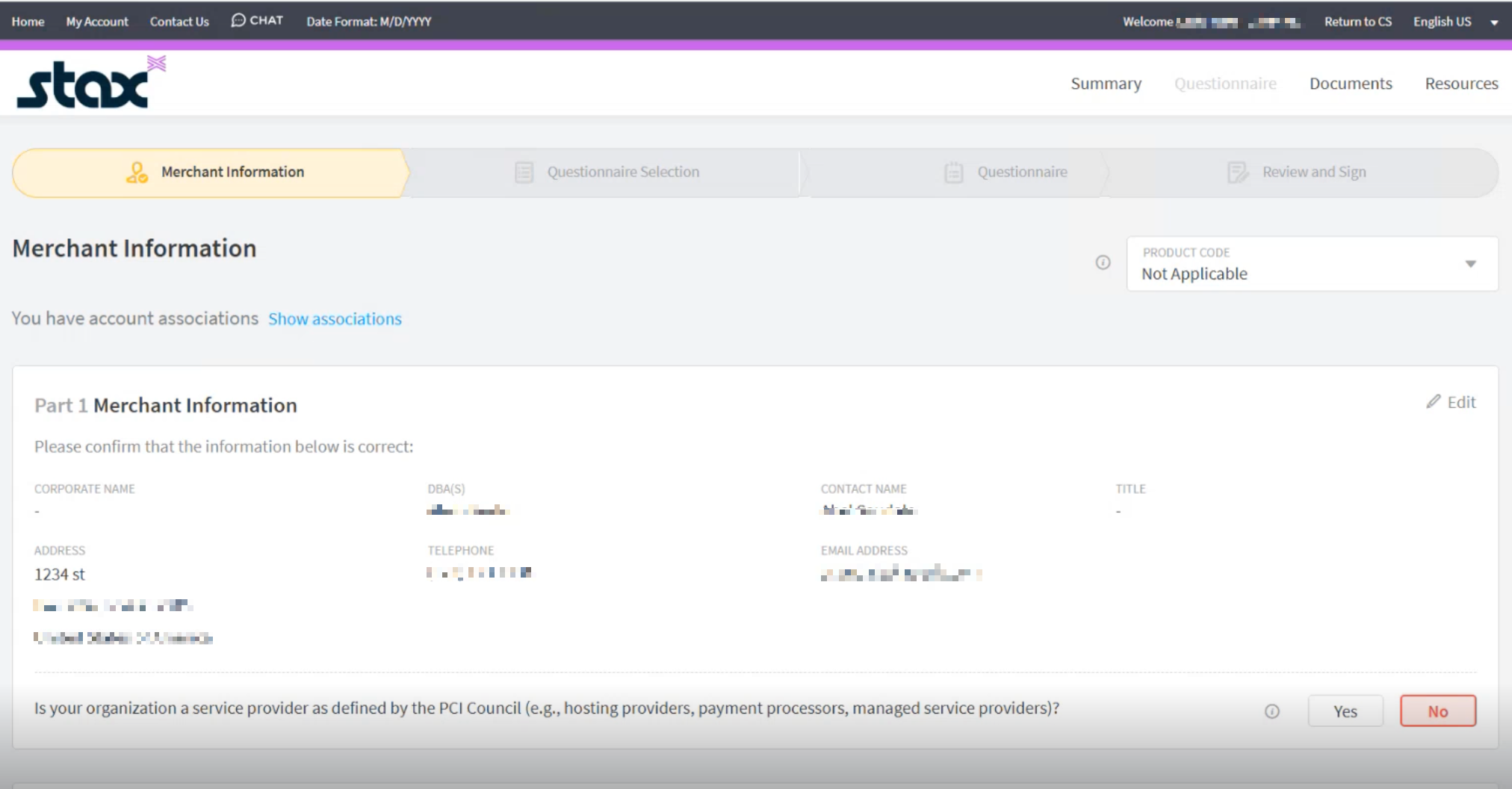
When you log in to the PCI Compliance site, click Get Started. On the main page, review your business information and any associated accounts, called chained merchants.
Chained accounts are merchants that share a common infrastructure, such as a franchise. Chained accounts can comply with PCI and it would apply to all chained accounts.
Your Partner may prefill information about your business. Review the preselected answers.
-
Confirm that the information shown is correct.
-
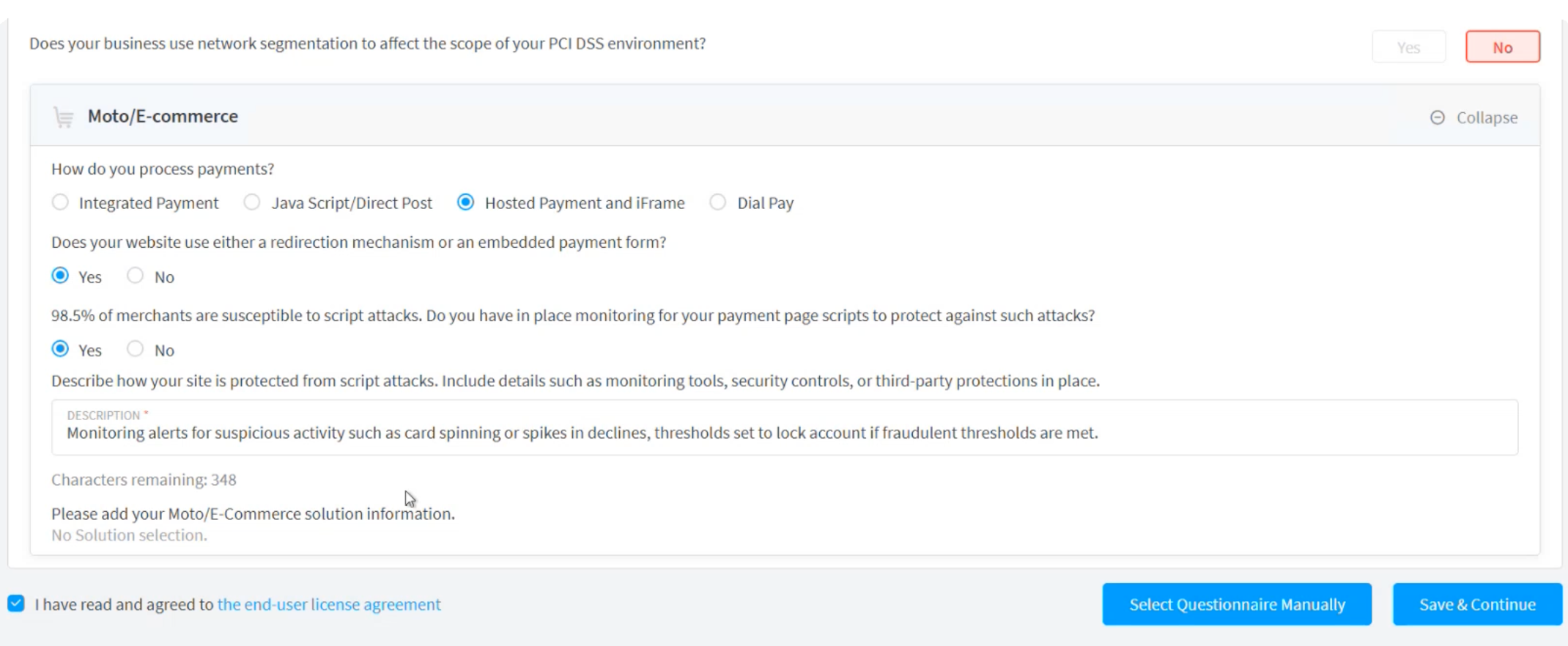
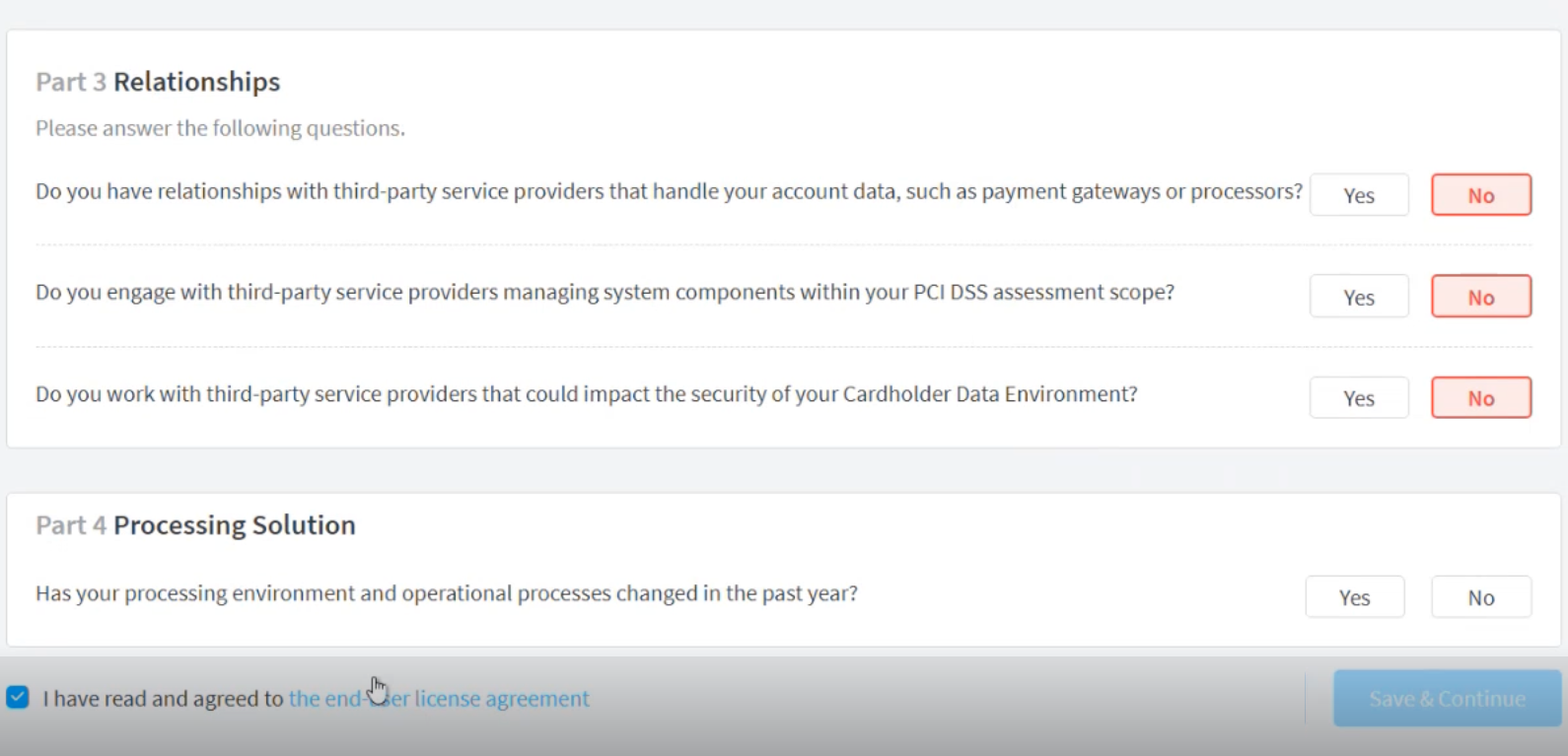
Answer the questions presented on the page. The answers will determine the questionnaire required to be PCI compliant.
-
Once completed, accept the user agreement and then click Save and Continue.
Self Assessment Questionnaire (SAQ)
Depending on your business, there may be pre-selected Product Codes to choose from. See Product Codes for additional information.
-
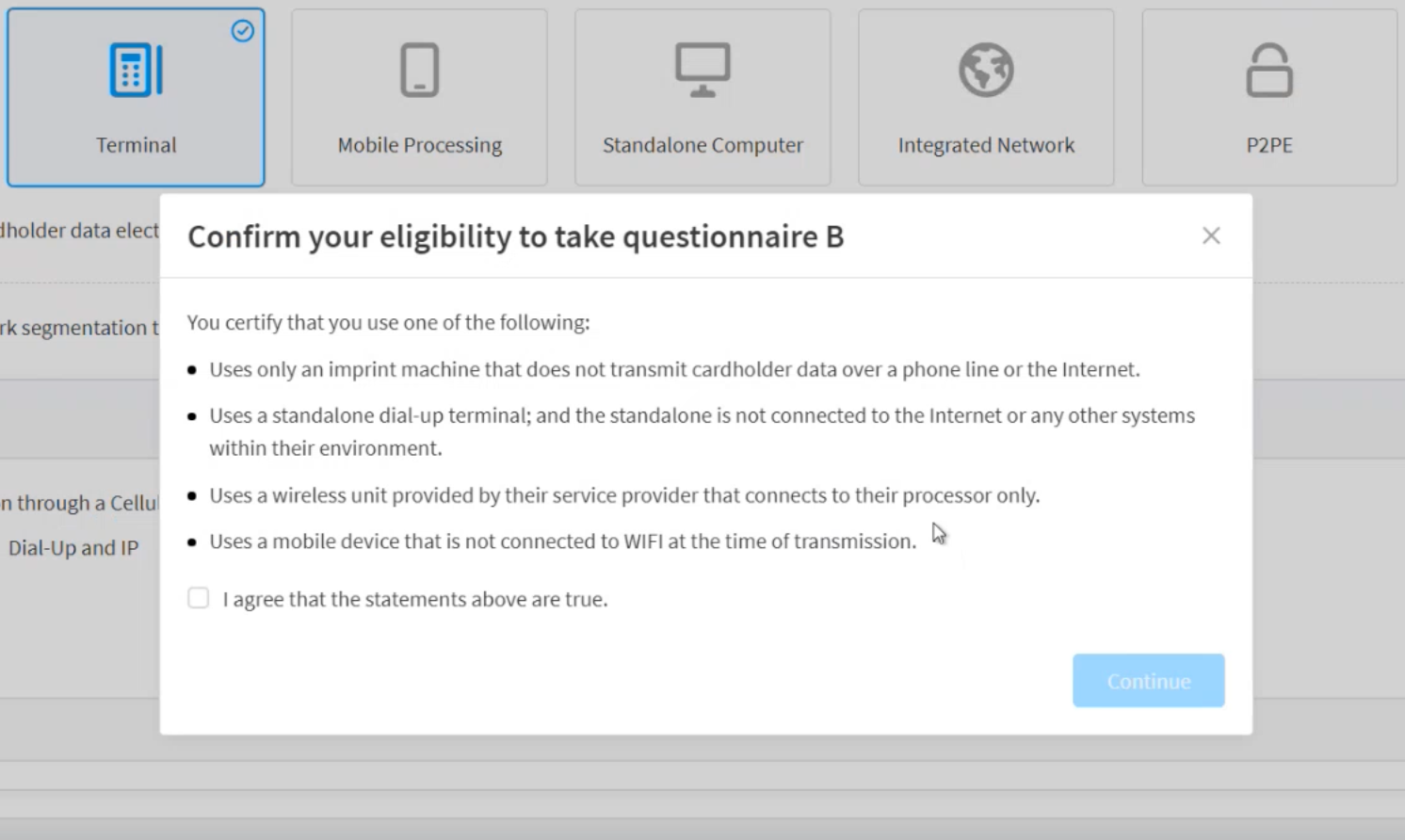
After you click Save and Continue, a questionnaire will be determined. On the modal, confirm the questionnaire.
-
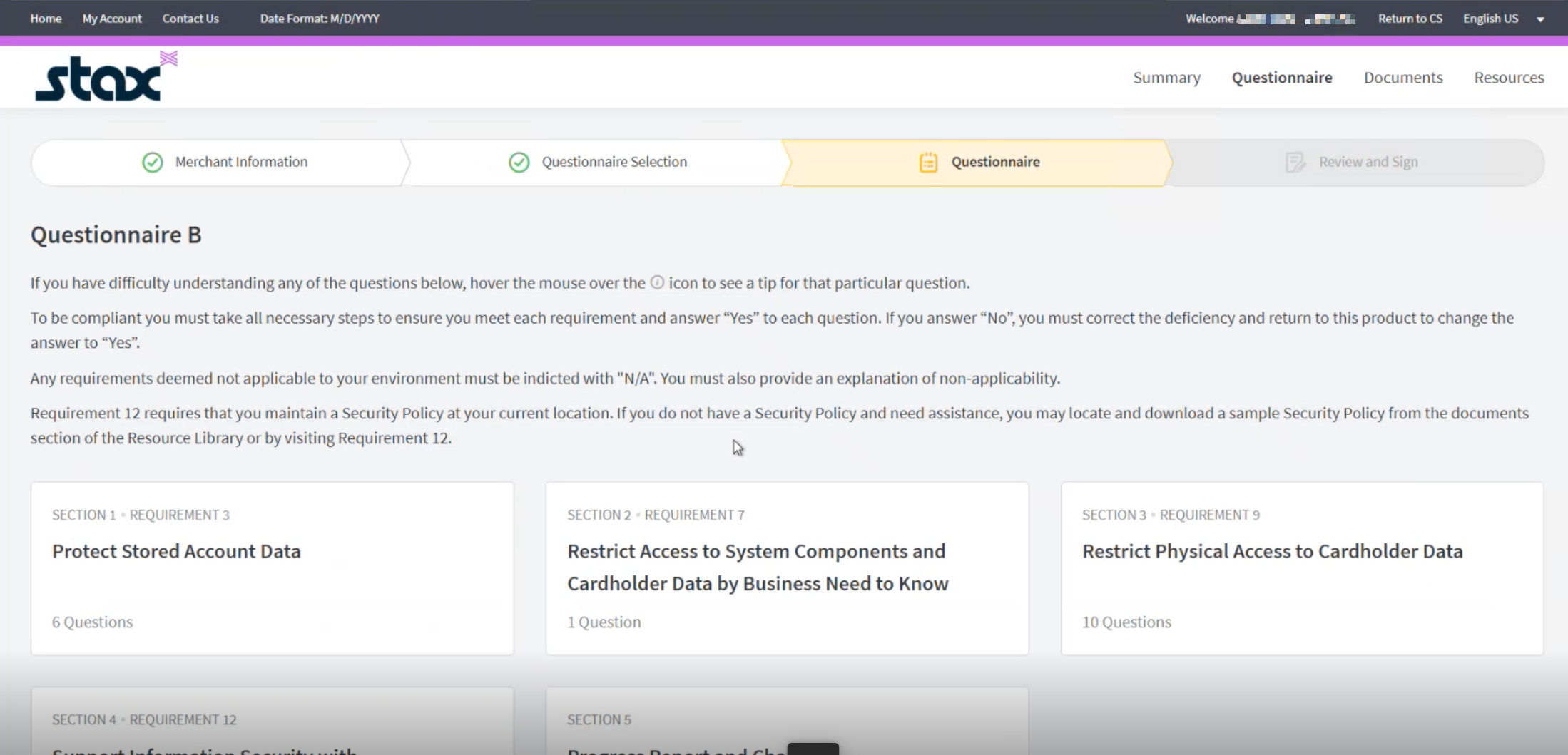
The page will open on the questionnaire determined by the system.
-
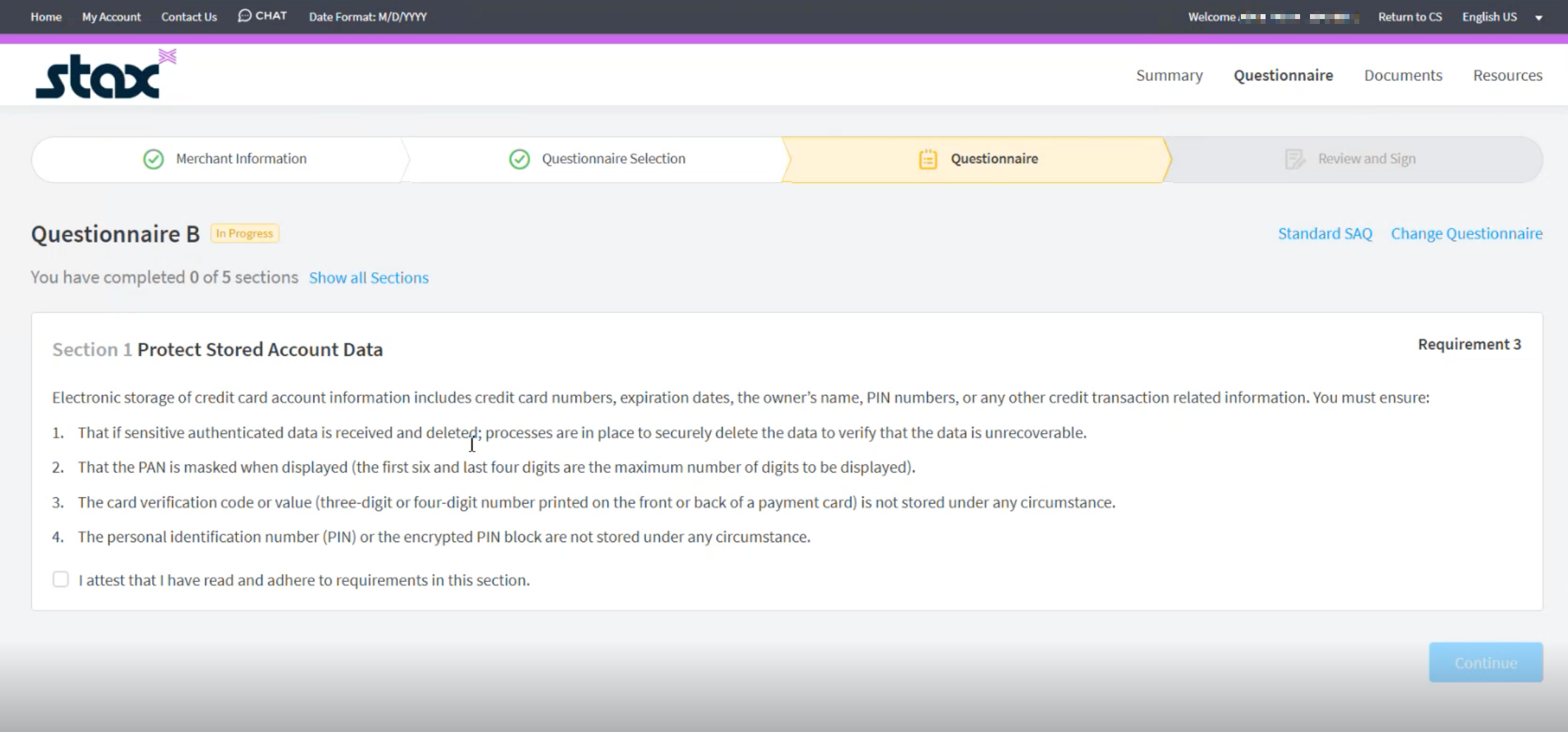
Click on the Sections to answer the questionnaire. Depending on whether you are scanning exempt, the questionnaire will look slightly different.
-
Once you have completed the questionnaire, click Continue.
-
Review the information and sign.
-
Click Submit.
The documents will be generated in a few minutes, which can be reviewed.
Renewal
When it's time to renew your compliance, you can save time if nothing has changed. You will need to attest that nothing has changed and then click Continue. The questionnaire will be prefilled with the previous answers, and you can continue to Review, Sign, and Submit.
Updated about 1 month ago